

Comcast is one the largest internet providers in the United States. The company also offers other services including cable TV services and landline telephone services under its Xfinity brand. While it serves homes and individuals, Comcast also provides services for businesses.
As far back as 2011, Comcast was said to be serving as much as 40% of the cable internet market in the US making it the largest provider. By 2018, it was said to have had over 26 million subscribers. With a very wide network, Comcast modem has become something that is well sought for by its massive customers.
Comcast Modem
With its modems, Comcast gives you the options of either buying one or renting one from the company. While outrightly some may prefer buying one, there are some that may prefer renting it. Whichever you are going with, they both have their pros and cons.
Rent Comcast Modem
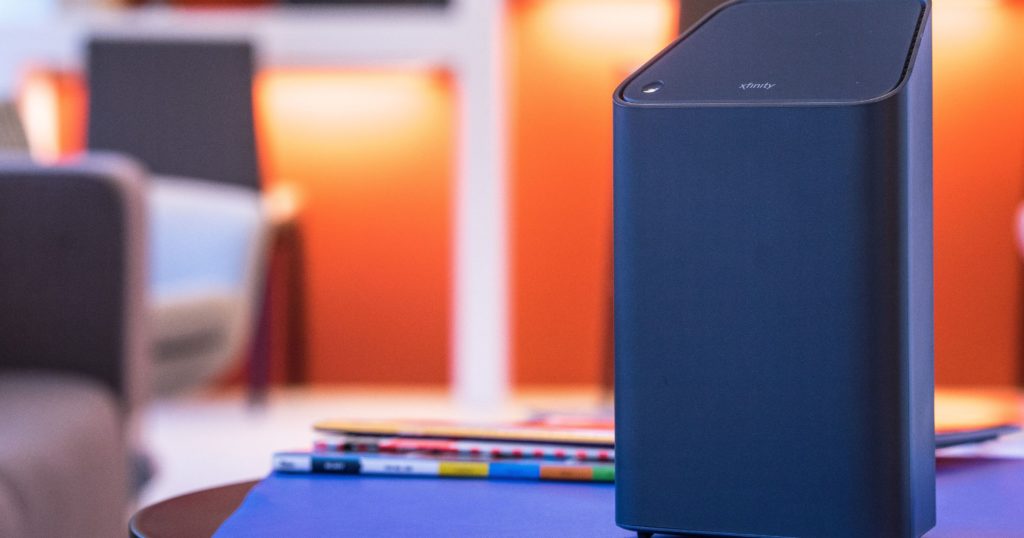
Before now, renting a modem from Comcast will cost you $8 a month, then it moved to 10, but now it has been taken to $11 per month. The good thing with making use of the Modem provided by your internet service provider is that in the case of any problem relating to internet shortage, the service provider will not blame it on the modem you are using.
Another good thing about renting the modem is that if it gets bad, you can be sure that Comcast will have it replaced. However, it is not for every damage that it will be replaced. Finally, you can bet that the modem you are going with will work with your data speed without any problem.
What Comcast is promising with the Modems you rent is that it will be easy to install, give you greater control, and the security it comes with.
Buying Your Modem
As stated, you can also decide to buy your own modem, which is what a lot of people will advise you to do because, in the long run, it is cheaper than what you get with the Comcast Modem. With a hundred dollars, you can get a very good modem that may last you more than a year, while renting a modem from the ISP will cost you as much as over $130 dollars in a year.
One of the major reasons why some have recently gone against renting Comcast router and modems is that apart from the cost which is said to be bringing in between $275 million and $300 million quarterly to the company, there are also security concerns. This relates to a revelation that there is a bug on the website of Comcast that is used to activate the company’s routers with the potential of exposing the private data of customers. The bug is said to reveal things such as the addresses of a user and other private data including Wi-Fi name and password.
If you decide to get a modem and you are not sure how to set it up, simply call Comcast and inform them you have your own modem. They will take the serial number of the modem and then provide the serial number. If you will need professional installation, you may need to pay close to $100 for it.
Before you get your own modem, however, you need to make sure that you are getting one that will be compatible. Hence, you may need to check the list of recommended devices.
Comcast Internet Plans
Comcast has different data packages that will meet different needs. The internet plans begin at $29.99 and go up to $299.95 per month with both at the two extreme ends in price, upload and download speed. Here are the other Internet plans:
- Performance Starter: With this plan, you get a download speed of up to 15 Mbps and an upload speed of up to 2 Mbps at $29.99 for the first 12 months.
- Performance Plus: The plan has a download speed of 60 Mbps while the upload speed is 5 Mbps. For the first 12 months, Comcast charges you $39.99 per month.
- Performance Pro: Charging $54.99 for the first 12 months, this plans a download and upload speed of 150 Mbps and 5 Mbps respectively.
- Blast! Pro: At $69.99 each month for the first 12 months, the Blast Pro has a 250 Mbps download speed and 10 Mbps upload speed.
- Gigabit: With this plan, you get to pay $70 each month for the first 24 months and you get a download speed of 1,000 Mbps and an upload speed of 35 Mbps.
- Gigabit Pro: With this plan, you will need a 2-year agreement. It will cost you $299.95 per month with a download speed of 2,000 Mbps and an upload speed that is also 2,000 Mbps.
Comcast Xfinity also has different bundles that you can subscribe to. The bundles include the Starter Double Play ($79.99 per month for over 140 digital channels and Internet), Starter XF Triple Play ($89.99 for Internet, over 140 digital channels, and unlimited nationwide talk and text), and Premier XF Triple Play ($159.99 per month for over 260 digital channels, internet, and unlimited nationwide talk and text).
Data Usage
While its plans mostly cap at a terabyte, there are a few others that may want more than that. For such, Comcast also has the unlimited data plan which comes with an additional $50 every month.
See Also: Login To A Comcast Xfinity Router Modem By Following These Steps
In order to keep track of your data usage, the network has data tools that can be used for that. Once you sign into your account, you will be able to know how much data you use with the tools.
How To Cancel Comcast Service
If you may want to cancel your Comcast service at any time, there are procedures that you may need to follow since it requires a contract for you to use the network. The good news, however, is that canceling the service is pretty much easy. Here are ways you may have it canceled:
- Online Chat: One of the easiest ways to have it canceled is through the online chat. You will always meet someone to chat with seven days a week from 8:00 AM to 11:00 PM ET.
- Call: You may as well call Comcast Xfinity at 1-800-xfinity (1-800-934-6489. When you make the call, ensure to follow the “cancel service” prompt.
- Email: One can also use this link to send an email to the ISP. All you will need to do is to complete the form provided and then submit it.
- Mail: You can mail in a cancellation request to Comcast using the address below. Things to include are your first and last names, your service address, account number, and phone number.
Address:
Comcast Cable
ATTN: Service Change Requests
1701 JFK Blvd.
Philadelphia, PA 19103
- Store or Comcast Service Center: Finally, you can visit a local store or service center.
Note: If you request cancellation through email or mail, you will receive a call from Comcast asking you to confirm the request within two business days.
