Quick Answer
In the Gaming PC Vs Workstation comparison, a gaming PC is the better one if you are looking for something specifically for gaming as a workstation is designed for very complex computation work that requires a lot of power.
There are many PCs that are available for different uses. There are some that are dedicated for office work while there are others that are for gaming just as there are others for some works that are extremely demanding or as they are called, workstation.
While one can easily get confused on the surface on which is what and even believe that they serve the same purpose except for their prices, they are completely designed for different purposes.
What Is A Workstation?
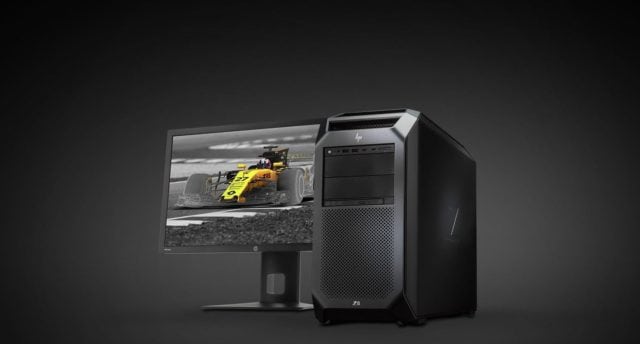
A workstation is a computer that is created specifically for very high demanding professional work such as engineering work, video editing, graphic designs, and other such jobs, hence, the specification of a workstation will vary based on the work you want to put it to.
Because its sole purpose is for more demanding tasks, a Workstation comes with components that are powerful and that can supply the needed performance including a good CPU, RAM, and GPU. As a result of this, many people prefer building their own workstations to buying them in the same way that some gamers prefer building their own gaming rigs.
Gaming PC Vs Workstation
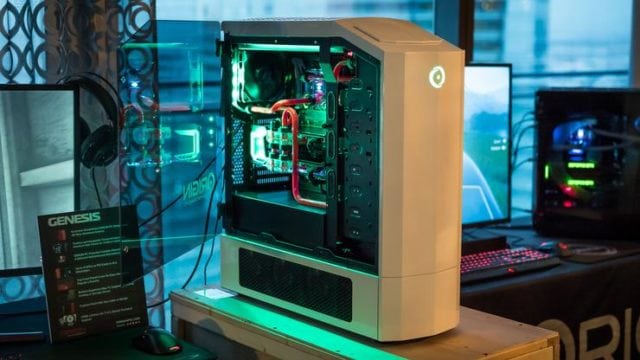
When coming down to the Gaming PC Vs Workstation, there are a number of things to consider, but the main thing that differentiates the two is the components they come with such as the CPU, GPU, RAM, storage, and motherboard. All these make up their differences in performance and price.
CPU
A gaming computer needs a good processor, but it will definitely not match what the Workstation needs since they need CPUs that are well performing. For a gaming computer, you can make use of Intel Core i7 or AMD Ryzen 7 which are some of the most powerful CPUs the market has. You can easily find some CPUs that are higher than these but for gaming, it will be nothing short of an overkill.
On the other hand, you will need something as powerful as the AMD Ryzen Threadripper 1950X for a workstation. For a workstation with maximum performance, CPUs like the Intel Core i9-7980XE, Intel Xeon W-2195, and AMD EPYC 7551P are the best options.
GPU
When it comes to gaming, your GPU is very important because it works to process the images you get on the display. While there are many available GPUs for gaming, a workstation may not be well served by the consumer-grade GPUs most especially if you are using it for things like 3D modeling, graphics design, video editing and other similar works that involve heavy graphics.
GPUs such as the AMD Radeon and Nvidia Geforce are great choices to run any games that are available today, However, these do not have what it takes to serve a high-end workstation which needs high-performance GPUs such as the AMD RadeonPro and Nvidia Quadro which have been optimized to handle very complex software as they have higher processing power.
Workstation GPU is designed to run very complicated software such as the CAD applications.
RAM
Whether it is a normal office computer, a gaming rig, or a workstation, you will always need a good RAM. Nonetheless, the memory you will need for all these differ greatly. For gaming, a RAM of 8GB will be enough to run almost any game, but if you need a future-proof solution, you may as well go for a 16GB but that may be an overkill based on the type of gamer you are.
See Also: PC Gaming vs Console Gaming – Which One Should I Choose?
For a workstation, you will need something much higher probably between 32 GB to as high as 256 GB which also depends on the need of the workstation and what it is supposed to handle. In addition to that, you will need an ECC RAM for a workstation because it is designed to prevent, detect, and correct errors before they happen. This is important because the data handled by a workstation are very important to take chances with them getting corrupted.
Storage
When it comes to storage, you will not find much difference between what you get with a gaming PC Vs workstation. This is because the major storage devices are SSD and HDD and for a gaming PC and workstation, one can use both drives. SSD is preferred in both for stability and performance while HDD is preferred for a larger space that it gives and durability.
Motherboard
Since it comes with special components such as CPU and RAM, the motherboard for workstation can be slightly different from what you get with a gaming pc. A motherboard with sockets that will support the components is what you need for a workstation.
That said, there is not too much difference between the motherboards for the two systems.
Cost
Considering the high-end components needed for a workstation, it significantly costs more than a gaming PC. At less than a thousand dollars, one will get a good gaming PC and at $2000 one should be able to get a very good performing gaming system. When it comes to Workstations, $2000 will not get you anything near the top.
Gaming PC Vs Workstation – Which One is Better?
If the power of performance is all that is needed for gaming, a workstation will always have a filled day over a gaming computer. However, even with its performance, the components of a workstation are not optimized for gaming, so a gaming PC is a better choice than a workstation.
More so, depending on the components used (most especially the GPU), a mid-range workstation may deliver the performance of a high-end gaming computer. When workstations that are designed for professional use are brought for gaming, instead of enhancing the performance, it will do the exact opposite.
In the same way, a gaming PC may be used as a workstation but there will be a lot of limitation when you need it for more complex activities because its hardware components are not designed for such high demanding tasks.
Conclusion
Looking at gaming PC vs workstation, it is rather clear that the things that differentiate them include their components, performance, and price. At the mid-range, you can get to use either for the other, although the performance will not be as good as you would want. Hence, getting a gaming PC is a better option for someone who needs a PC for gaming.