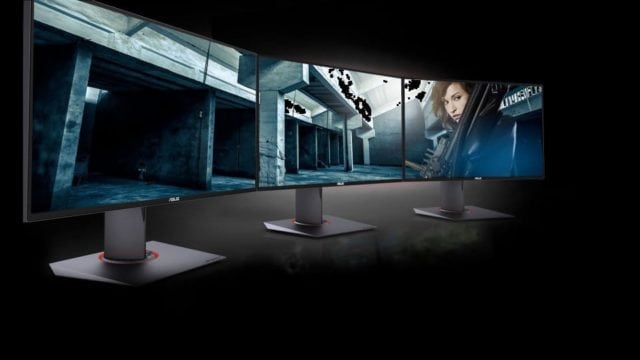
The world of gaming is not just changing, it is changing very fast. That is why you will realize that some monitors that are able to confidently handle almost any game a few years back are finding it hard dealing with games that are coming now, requesting for the most extravagant display possible. That is what has brought us to the ASUS ROG SWIFT PG278Q which according to ASUS, has been created for gaming perfection. But does it really hold that?
As you have already realized, the monitor is a Republic of Gamers piece which means that it was created specifically with gamers on mind, even though it is also able to meet the needs of content creators. Selling at somewhere around the $600 range, this is not one of the cheapest gaming monitors that the market has to offer, but let’s look at what it has to offer in return and whether as claimed by ASUS, it is the perfect choice for gamers.
ASUS ROG SWIFT PG278Q Quick Features
- It comes with a 27-inch screen that has a WQHD (2560 x 1440) panel
- The monitor features the NVIDIA G-SYNC technology
- It comes with a 144Hz refresh rate, it also has 1ms response time.
- It comes with complete ergonomic tilt, swivel, pivot, as well as height adjustment with VESA mount capability.
- It features 2 3.0 USB ports and a 1.2 Display port.
- It has the ASUS Eye Care Technology to reduce eyestrain.
- Has a TN panel.
Design and Build Quality
The design and build quality of the ASUS ROG SWIFT PG278Q monitor is excellent in almost every way that you want to look at it, even though it is not the heaviest monitors that you would get out there. Immediately you take it out, preinstalled from the package, you will notice its premium build.
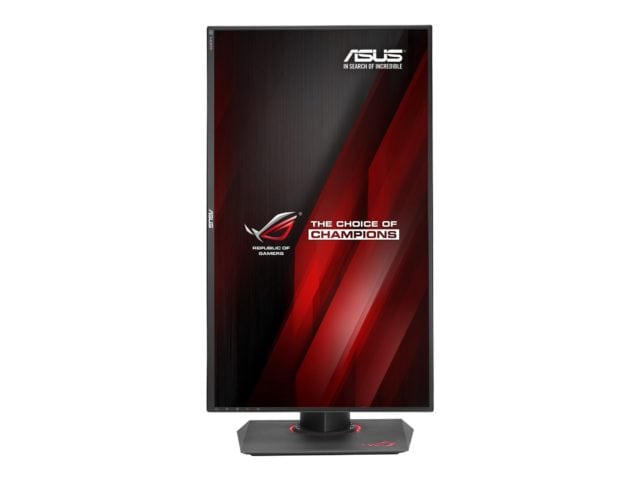
The only thing that beats its looks is the intelligence of design and versatility. It has an ergonomic stand that you may find too large for a small gaming desk. But then, it allows for a good mounting system and you get to easily adjust the height by up to 120mm, a 180-degree pivotal adjustment, 60-degree swivel on either side, as well as 5 degrees down adjustment and 20 degrees up.
In addition to that, it also has a very good cable management system as well as a nice RGB coloring at the base of the monitor stand. Did I talk about the navigation buttons? Those are also wisely placed, but there is a little limitation when it comes to the available ports and display connectors as it only features a single full-size DisplayPort 1.2, so you will not enjoy it if you need a monitor for your console.
What do you get as a gamer?
A lot. The display of the monitor as pointed out has a native resolution of 2560 by 1140 which is something that you will find very interesting. What is even more to this is that it has a massive 144Hz refresh rate and a 1ms response time. What this means is that the response rate of your PC is amazingly fast, eliminating lag and motion blur, something that will come in handy when you are playing a competitive game.
One thing that everyone is singing about with this monitor is the G-Sync technology that it comes with. A step before G-Sync, you have the v-sync which you have the option of gaming with or without- whichever you chose, you will not avoid some level of sinking. PUN.
For those who game without it, you will realize that there is a little tearing which is a visual anomaly that occurs because your in-game FPS exceeds your monitor’s refresh rate. If you opt to play your game with v-sync, instead of tearing you will have a problem of delay because your graphics card is made to wait for the monitor. Essentially, tearing is exchanged for stuttering when you refresh. It is to avoid these problems that the G-Sync is used on this monitor so that you neither get any tearing or latency.
See Also: Is OLED Monitor Worth The Price? Here’s What We Recommend
The color reproduction is good and the contrast is likewise good, but it is still TN. As regards the viewing angle, there is an improvement from what you will typically get with a TN, but again, it is still TN.
Pros
- It has a good design that has cable management and excellent build quality.
- The ASUS ROG SWIFT PG278Q comes with almost every feature that a gamer can ask of a monitor.
- When it comes to adjustability, this monitor is one that can hardly be beaten.
- The ASUS ROG SWIFT PG278Q monitor promises and delivers good and faster gaming experience thanks to the G-sync technology.
Cons
- You may not get the best angle display because it is a TN Panel monitor. Nevertheless, you can decide to go for an IPS panel even though it will cost you over $100 to $150.
- If you do not have a large gaming desk, you may find this occupying almost everywhere and you cannot push it too much backwards because of its large stands.
- Even though I don’t see this as a big issue, there are some who feel getting additional USB 3.0 ports would have been good. Limited DisplayPort can also be a problem for some.
Is it worth it?
Do I think it is expensive? Yes, slightly. Not to get things mixed up, this is a very good monitor that has a good build and interesting technology, but I feel it is slightly on the expensive side just because it comes with a TN panel. I know again that the gap between TN panels and IPS has improved significantly over the years, but the color difference and viewing angle differences have still not been sorted out, and you will find that with this monitor.
That said, since it is for gaming that you need this and not for video editing, I think the advantages still speak for themselves. Hence, even though I would have loved to see the price go down slightly, I will throw in my hat for this if something good for gaming is what I am after. Yes, it is worth it.
Conclusion
At the end of the day, ASUS has put you on an excellent path to build yourself a gaming republic with everything ROG needed to build a great gaming PC which is accompanied by good keyboards, mice, and great monitors including the ASUS ROG SWIFT PG278Q which for us, has stood out from the crowd.