


Most successful eCommerce websites including Amazon and Walmart do not limit their operations to only products as they are also involved in different services. One of such services offered by Walmart is its digital photo printing services through the Walmart Photo Center.
The Photo Center has grown into becoming the biggest digital photo lab that many people depend on for their photo needs including photo editing, development, and printing. Through this platform, you will be able to do a lot of things from creating picture prints to enlarging your photos, customizing photo cards, photo greeting cards, and invitations among other things.
Apart from the vast services offered by the Walmart Photo Lab, it is the cost of its services which is more affordable than what you get with many others that make it stand out. Nonetheless, there are still questions that remain regarding the quality of its general services.
Walmart Photo Lab
The Walmart Photo Lab operates in a very simple and convenient manner with the platform having a very good web interface so that people can send in their pictures easily. To get started, it allows one to import photos from social media sites such as Flickr, Instagram, and Facebook among many others.
For the lab, Walmart has different kiosks that are used to print digital photos and people can easily send in films to be developed. One thing you need to know is that like most other stores, Walmart has also stopped returning negatives. Hence, if you still want to have the negatives after it has been developed, you may consider either looking for another service that will return the film.
If you decide you want to cancel your order, Walmart gives an hour from the time you place the order for you to cancel it. Simply go to Recent Orders in your account and click on the order you want to cancel. If the icon to cancel the order is not there, the window time has elapsed.
Using the Walmart Photo Center
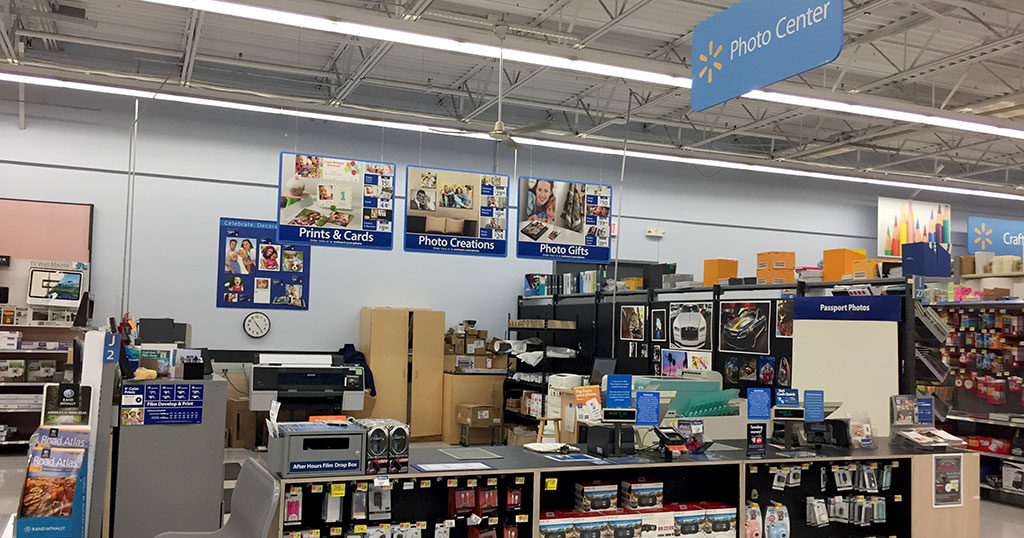
Using the Photo Center is pretty much straightforward. What you have to do before anything is to sign up for the service.
- To sign up, simply go to the Walmart Photo website and click on Sign In
- In the next page that opens, click on Create a new account.
- Fill in the required detail including a functioning email address.
- Click on Create account
- A confirmation mail will be sent to your account. Using that, you can complete the process.
After completing the process, you can upload photos by selecting the product you want to create and then click on the Start button. In the next page, you can either decide to import photos from your Dropbox or your social media or upload them from your computer or storage device. If you have already added a picture, you can simply add the picture from “My Projects”.
After adding your pictures, you may decide to edit them there by just selecting the picture and putting them in the edit mode by simply clicking the Edit Icon.
You can also decide to place an order by selecting the pictures you want to print and indicate when the photos are needed. Once your work is ready, you will be notified via an email to come and pick it up. However, if the picking time has passed without any email sent to you, you can also decide to contact the customer center.
Pictures can be uploaded in various image types including jpg, JPG, jpeg, and JPEG formats. The maximum size of the file is 16 MB, the maximum width and height is 8000px by 8000px.
Prices
When it comes to the price, it is one of the best things that have placed the Walmart Photo Center above many others. While generally cheap, the pricing depends on what you want. For printing of pictures measuring 4X6, it starts at $0.2 while enlargements of 8×12 start at $1.49. For Fujifilm Retro Prints, it starts at $0.17 while for Value Prints, the price starts at $0.09 for 4×6 images and $2.45 for 11X14.
Walmart Photo Centre charges $36.97, $49.97, and $63.97 for Framed Prints that measure 8×10, 11×14, and 16×20 respectively. Other printing services are based on what you want. You can print things like Collage Posters at an average of $6.86, Canvas Prints at an average of $29.96, Photo Book ($24.00), and Calendar (17.47).
As far as price is concerned, there is hardly any other that will beat Walmart Photo Center, but where you will find it lacking is when it comes to quality, as it doesn’t give what can be said to be the best in that department.
Walmart Photo Center Operating Hours
Although you can take advantage of the online photo services to do a lot of things at any time you want, the photo centre just like the Walmart Auto Care Center, Vision Center, Pharmacy, and Pickup, does not operate for 24 hours.
See Also: Swagbucks: Is It Legit, Safe, Scam, How Does It Work? Codes, Customer Service
Instead, the operation hours are from 9 am to 9 pm on a daily basis from Monday to Saturday while on Sundays, it runs from 10 am to 8 am. If you have any problem, you may as well reach the photo center through its telephone number: (317) 209-8690.
Promo Code
From time to time, Walmart Photo Center has promo codes and coupons that it makes available to its customers. With such codes, you will get to make purchases and have services at a discounted rate. While some of the codes give you certain percentages from as little as 5% to as high as over 90% off, you may also get some dollars for free to spend.
More so, there are other codes that are made available for special occasions like Black Friday.
Here are some codes that you can use:
- 25% off orders over $135: PAHZS25
- Save with 40% Off Your Order: 25PHOTOW
- Save with 40% Off Your Order: BIRTHDAY7
- Take $10 Off Order: WMFAMILY
Conclusion
There are things, of course, to like about the services you get with Walmart most especially with the most emphasized affordability. However, there are a few places where you will find it lacking apart from the quality of printing which has been mentioned. Another drawback is that it does not have an app for the photo service, preventing it from being one of the top photo services for people looking for quick photo editing.
Finally, when it comes to high-end options, Walmart also finds itself away from the front seat where you will find others like Shutterfly, Walgreens Photo Center, and York Photo. Still, it has managed to be successful because of the impressive features even as it does not ask for too much.
