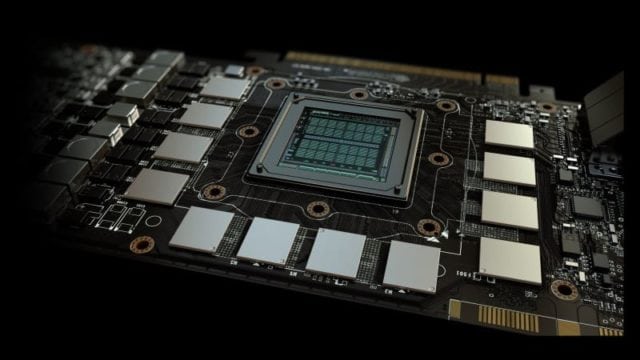
What is VRAM? – Quick Answer
A VRAM simply means a Video RAM. Its use in the computer is to serve as a store for graphics data. VRAM is not the same thing as a RAM, instead, it is only a type of RAM, just as the SDRAM. While the three are different things, they all serve as temporary data storages.
The computer has many components that handle different functions. All of these components are very important in the specific things they need to take care of, as well as the general functioning of the system. One of such components, which happens to be one of the most important, is the RAM. For a gamer, besides the RAM, the VRAM is also highly important when it comes to your graphics display.
While RAM works to help you in the loading and running of your PC programs, it is the Video RAM that works with handling graphics as it plays the role of being the buffer between the processor and the display. Among the types of VRAM out there are Synchronous Graphics RAM (SGRAM), Multibank Dynamic RAM (MDRAM), and Rambus Dynamic RAM (RDRAM). The Synchronous Graphics RAM is the type of video RAM that is popular in modern computers.
Are VRAM and RAM the same?
As earlier stated, the Random Access Memory which is known as RAM and Video Memory are two different things even though the latter is a type of the former. Before looking at how the two memories differ from each other, they have their similarities, the first of which is that they both make use of the same technology if you want to consider the fact that they are both storage components for easy and quick access of data.
When you are playing a video game, both the Video RAM and the system RAM are very important most especially as the RAM serves in running the program, the video RAM serves to handle the display of images. It helps in achieving faster frame rates since it stores images and video data for fast rendering.
Differences between Video Memory and RAM
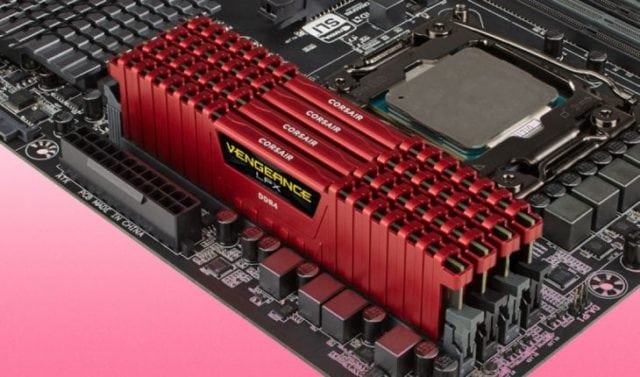
One of the main differences between the Video RAM and the dynamic RAM is that while the former stores and sends data to the GPU, the latter sends same to the CPU for fast and effective access. Of course, the data sent are accessed from the computer’s hard drive.
The function of the computer RAM is to help you achieve a fast computing. Instead of the needed information to come straight from your hard drive, which may take some time, temporary files are saved on the RAM which you can access on time. On the other hand, the function of the Video RAM is to help the GPU to deliver good graphical performance. Every graphics setting that you make takes from the Video RAM including the resolution, texture quality, as well as the Anti-aliasing.
If you have very much demanding programs and you want to be doing a lot of multitasking with your computer, what you need is a very good RAM. If, on the other hand, what you want is to play games on a very high resolution, what is needed here is a good Video RAM.
More so, when what you are trying to do becomes too much for your video RAM, it shifts the rest to the RAM and that greatly affects performance. On its part, if things become overwhelming for the RAM, it forces the hard drive to pass the information directly, working as the Virtual Memory. In the same way as with the Video Memory, this comes with a negative effect on the performance of the computer.
After all have been said about the differences between the video RAM and the system RAM, the summary can simply be that while the RAM is what the CPU makes use of, the GPU makes use of the Video RAM. This simply shows that not only are the two memory cards different in their make, they also function in entirely different ways.
| RAM | VRAM | |
| Type of Memory | volatile memory | Virtual Memory |
| Serves as the | System memory | Graphics Processing Unit’s memory |
| Function | For programs | For images |
Problems with poor RAM and VRAM
When your Video RAM is running out or it becomes defective, there are some problems that you may be having while gaming such as stuttering and screen glitches which may come in the form of screen tearing and a mixture of colors when you are watching a movie or when playing games. Also, expect to see the blue screen and other problems with the texture of your graphics when it gets bad.
See Also: GPU Hierarchy – An Updated GPU Tier List For Processors
If, however, you begin to have a problem with the RAM, one of the main issues that you may experience is that your computer may begin to launch and run very slowly. You may be able to start your computer successfully, but before too long, you may find it snailing itself through. More so, it can also force the computer to keep restarting. Also, installing new programs may be very hard or almost impossible to achieve, and your computer may keep giving you a blue screen of death error.
Conclusion
All being said, once you have a computer, it is very important that you also ensure that you have a very good RAM because it ensures that your programs run smoothly and the computer is not slow. You may not necessarily need to have a VRAM unless you are using your computer for things that will require graphics such as video editing or gaming.
So, which VRAM should you get? As easy as it can get, having for yourself a Video RAM 2 to 4 GB should be very much enough for a gamer at 1080p resolution which is the resolution of most games nowadays. For a 4K gamer, anything from 4 GB should be good enough for you. The thing, however, is that games are coming with greater demands these days and as such, you may soon get to a time when 4 GB may not even be enough. The most important thing to understand is that the more resolution or graphics texture that you are trying to render, the more the video memory that you will need.