

TWC Mail is very important for people who have subscribed to the different packages of Time Warner Cable internet. To get it into perspective, the TWC Internet was bought over by Charter Communications, hence it is now referred to as Spectrum. However, it still remains as one of the biggest ISPs in the US, providing vast plans.
One of the main things that have pulled people to the TWC internet apart from its reliability and the friendliness in price is that it doesn’t come with any form of contract as such you can simply subscribe and hit the road without any fear of any extra charges when you want to part ways.
TWC Mail and Webmail
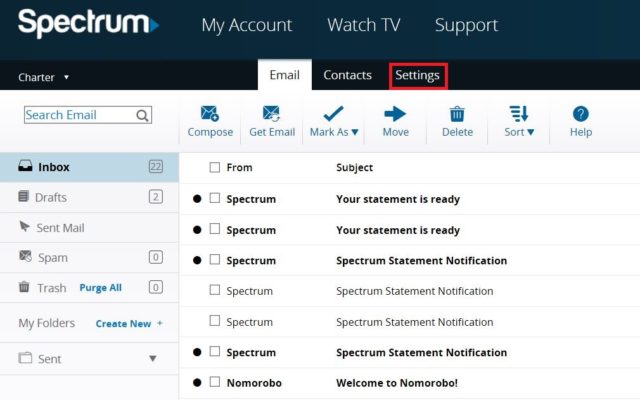
With the TWC email which is also known as Spectrum email, it does not come automatically to customers, hence if you need one you will need to create an email account. To create one, here are ways to do it:
- Go to Spectrum.net and then sign in using your username and password.
- At the top left corner, go to the menu and click on “Manage Account”.
- What you want to do next is to select “Internet”
- Click on “Create Email Address.”
- Select “Create Mailbox” to confirm it.
- When you are done, click on “Finish”
- Select “Go to Mailbox” when you receive the notification that the account has been created.
After creating the email account, that will serve as the primary account to which you may decide to create other sub accounts. The importance of creating more email accounts under the primary or master account is that it allows you to give some control of the account or your subscription to other members of your household. Here are the steps to follow in creating the sub emails:
- Using your email account, sign on to your Subscriber Self Care
- Click on “Create New Sub User”
- Put in the New Sub User ID based on the instructions provided.
- Put in the first and last name of the new sub-user
- Enter a password and then confirm it.
- Click on Create New Sub User.
Email Setting
Inasmuch as you can use your TWC mail on different devices, it is important that you get the settings correct as that may stop you from sending or even receiving emails. As important as the configuration settings may be, the good thing is that setting it can be as easy as can be said whether it is on an Android device or iOS. You can also use the configuration settings on computers, tablets, e-readers, and other mobile devices.
Here are the settings to use:
- Your Name: [Enter Your Name]
- Email Address: [email protected]
- Account Type (POP/IMAP): IMAP
- Incoming Email Server: mobile.charter.net
- Outgoing Email Server: mobile.charter.net
See Also: Spectrum Internet, TV, Login, Customer Service, Plans And Packages
You can also use:
- Incoming Server (IMAP): 993
- Outgoing Server (SMTP): 587
- SSL: The setting should be ON for both SMTP and IMAP
- Requires Authentication: Yes, or checked. (Use same settings as my incoming mail server)
After you must have finished setting up the account, what you will need to do for signing in is to use:
- User Name: [email protected]
- Password: The password you use to sign in to your email account
TWC Internet Plans
TWC has different internet plans that may be convenient for a lot of people. Interestingly enough, there may be slight differences in residential charges and rates. Because of this, you will need to put in your street address, Apartment, and Zip Code in order to know what you are going to pay. With that said, we may not be able to state the exact pricing of the packages it offers. However, there are still some of its plans that come with the fixed prices.
At the lower end of its plans, you will get a package that gives you a speed of 50 Mbps at the same price that other internet service providers offer with as little as 15 Mbps speed. At the top of the plan, you will get the $64.99 internet plan which gives you a massive speed of 300 Mbps. Placing this against others in the competition, most especially when you consider that you pay as much as $170 with Verizon to get the same speed and $70 with AT&T.
It has different packages including
– $44.99 per month plan: This has a 100 Mbps speed. After the first 12 months, you will start paying for the standard price. The package does not come with data caps.
– Mobile Plans:
- Unlimited $45/Line: This plan offers an unlimited monthly data although the speed drops once you have passed 20 GB.
- By the Gig $14: With this plan, you only get to pay for the gigabytes that you make use of each month.
The plans that you get with the service come with access to more than 500,000 Wi-Fi hotspots that belong to TWC. More so, you also get other features including parental controls and McAfee internet security suite which also comes free. If you want, you may as well get your own modem.
Bundles
Apart from the internet plans, there are also bundle plans that you get with Time Warner Cable. The bundles come with internet, TV, and voice packages:
- Triple Play Select: This bundle costs $99.97 for the first 12 months for which you access all local channels and top-rated networks as well as its On-Demand services. It has a download speed of up to 100 Mbps and it includes over 125 channels. Coming with a free internet modem, the upload speed is 4 Mbps while for the voice you get unlimited local calls and also long distance calls in the U.S., Canada, Puerto Rico, Guam, and the Virgin Islands.
- Triple Play Silver: Coming at $119.97 each month, you get all other things that came with the Triple Play Select including the same download and upload speed (100 Mbps and 4 Mbps respectively) and a free modem. The channels included here, however, are over 175 and there are premium channels including HBO, Showtime, Cinemax, and some others.
- Triple Play Gold: At the top of the bundle packages is this which costs $139.97 each month. It features the same things that you get with the two lower bundle packages including the internet speed, free modem, and call destinations. The difference, however, is that it gives you more than 200 channels and you get much more premium channels.
Other Services
Apart from the internet service, TWC also offers other services including TV services which is probably its most popular service. There is also the phone service that it offers. All these different services can be subscribed to independently or you can as well get them as a bundle.
