Quick Answer
Inasmuch as there are still some games that 4GB RAM will be enough to run, what you really need for almost every game is 8GB. 16 GB is not the RAM for gaming that many may need at the moment but getting it will put you a step further even when you want to play 4K games
You have probably heard it said that the higher your RAM for gaming, the better the performance. That is not entirely true as there are RAMs that you can get that would be too much and end up as overkill. The other side of the coin is that getting a RAM (random access memory) that is also lower than you need may not be able to work properly. At best, you will have your game running slow and then you will receive a warning message that your RAM is low and at worst you will get the Blue Screens of Death among other things.
The big question, therefore, is how much RAM or memory does one really need for gaming? The truth is that while the RAM you need will mostly depend on the type of game that you play, RAM between 8GB and 16GB should be able to see you through any game and even be future proof. That is when you get the 16GB RAM.
Do You Really Need RAM for Gaming?
Yes, you do. Before getting confused into thinking you can get a good GPU and settle for any available RAM, both play very important roles in your gaming experience. Acting as the memory of the computer, the RAM is important for the general performance of your computer and for all the programs you run including the games.
With a good RAM, your computer will perform tasks speedily because instead of going to your storage (HDD or SSD, it will pick the temporary information stored on the memory to work it. In gaming, while the processor does all the processing and calculation works and the GPU works on the graphics, it is the RAM that ensures that the gaming files and other programs that are associated to the game run properly without any delays that you would get when it is insufficient.
Available RAM Capacities for Gaming
RAMs have not always been as high as they are today, there was the time when they were in 1GB and 2GB. Even though you will still find these RAMs, they are not the ones that many people would go for even for simple computer works.
Just a few years ago, getting a 4GB RAM for gaming is one of the best things that you could do for yourself as a gamer but a lot has changed over the years and now, it will not serve as the requirement for some games that have 8GB RAM as their minimum memory requirement. Now, you can only get to use 4GB RAM on computers that still run 32-bit OS as well as on office computers. Sure, it still has the power to run some modern games but their power would be brought to question by many other games.
8GB RAM is the capacity that has become very popular among gamers because it is now the standard for almost every available game. Nonetheless, 16GB is the most assured capacity even when you want to play 4K games.
See Also: Best DDR4 RAM: Review of 12 Great Memories Money Can Buy
RAM capacity also extends to 32GB, 64 GB, and even as high as 128 GB. But then these RAMs in this category would be too much for a gamer, except if you are looking for a future-proof memory, in which case, your pick will be to go with the 32GB RAM.
How Much RAM Do I really Need For Gaming
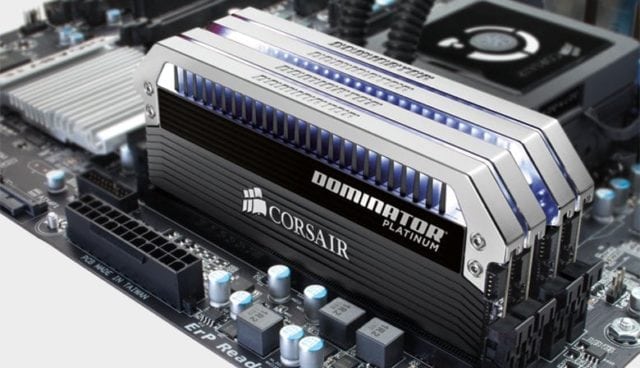
Back to the all-important question of the RAM for gaming to get, the simple recommendation will be to settle for either 8GB or 16GB of RAM which will be able to run any game available even if it is 4K. Getting more RAM is sure to improve your performance but there is a point of overkill where too much will only be a waste since your gaming computer will not need the excess.
While everything more than 8GB needs to completely be avoided as much as possible, getting anything over 32GB will have you in the class of overkill. This is because even when you decide to get a RAM that is higher than 32GB for future-proof, it may get to last longer than the lifespan of your computer and still be needless.
Apart from the size of the memory, there is also the question of whether to go for a single module or a multiple one. This is an important question because while some have argued that there is no difference between the single-channel and multiple-channel RAM, others have claimed that single modules are better as against what others claim.
What we have found out from even before now is that in gaming, there is hardly any significant advantage in performance that you get with using more than a single stick. Yes, you will find out that there is a little better performance when you have multiple-channel RAM over a single one, but when it comes to gaming, it is not anything much.
There are, however, some advantages that come with multiple RAM sticks if you have a motherboard that supports it. One of the most important advantages is that it is cheaper and at the same time, it keeps you covered in case of failure than when you are only using a stick.
Conclusion
With all said, there will be no problem if you decide to get for your computer a RAM of 32GB or even more for gaming. Nonetheless, that will be way too much for any game at the moment and it will be best if you are a gamer who is also into works like video editing since that also needs a lot of RAM.
Keeping in mind that too much RAM does not have a negative effect on your computer or gaming experience, the cost of getting it and its wasted potentials are things to consider. Hence, as stated, getting a 32GB will do if you need a ram for the sake of future proof, a 16GB RAM is enough for very high-end games, and 8GB RAM will be ideal for any game available right now.