

Quick Answer
JibJab is free to some extent. The digital entertainment studio allows free memberships to its users, however, those members only have access to a limited collection of free content which they can customize, view, and share.
JibJab is a Los Angeles, a California-based digital media company that was founded by two brothers; Evan and Gregg Spiridellis. The company was known for creating political and social satire before it transitioned to become a personalized eCard and messaging service. In recent time, JibJab has expanded into the children educational market through its line of apps called StoryBots which creates educational books, videos, and games, as well as television series and classroom activities that are designed to encourage intellectual curiosity and make learning at the foundational level a fun experience for kids. StoryBots most successful content to date is its Emmy Award-winning Netflix series Ask the StoryBots.
JibJab attained huge prominence in 2004 when it made an animated caricature video of the U.S. Presidential candidates George W. Bush and John F. Kerry singing American folk musician Woodie Guthrie’s 1940 hit song “This Land Is Your Land”. The video was one of the first viral hits of the broadband age as it was seen by millions of people across all the continents, including Antarctica and the International Space Station. The video’s success forced JibJab’s servers to shut down even as it earned a number one position on the Movers and Shakers list of web data and analytics company, Alexa.
After making its rounds on the internet and getting linked to thousands of websites, the video made its way to traditional print and mass media, appearing on NBC Nightly News, Fox News and ABC World News Tonight where anchor Peter Jennings named the Spiridellis brothers the People of the Year.
Following the successes they enjoyed, JibJab released another original animation in late 2004 titled “Good to be in DC” which featured animated versions of George W. Bush, Dick Cheney, John Kerry, and John Edwards. The company then began releasing comical Year in Review videos at the end of every year which reflected on different significant events of the year. JibJab did so until 2015 when YouTube was now in full force and the company was no longer getting licensing deals.
By 2007, however, Gregg Spiridellis had come up with the idea of letting customers personalize eCards and videos by inserting their photographs into the message and sending them to other people. He was encouraged to do so after reading how much money card making companies like American Greetings was grossing in a year.
In addition to the normal greeting, birthday, holiday, and congratulatory greeting cards, JibJab took it a step further by offering its customers a chance to personalize popular music videos such as Britney Spear’s “Baby One More Time”, Psy’s “Gangnam Style”, LMFAO’s “Sexy and I Know It”, Pharrell Williams’ “Happy”, and Meghan Trainor’s “All About That Bass” among others. JibJab’s eCard service has since its launch become a huge hit as it attracts more than 100 million people to its website annually.
Is JibJab Free?
JibJab offers its members free membership through which they can use to gain access to a limited collection of eCards and content that are marked “free”. Such content can thereby be customized, viewed and shared by these members. But to enjoy unlimited access to all of JibJab’s content, and also enjoy the option of tracking your sent cards and schedule when they are sent, customers will be required to get a year-long JibJab Premium Membership subscription which costs $24.00 USD. Customers who use the JibJab app, which is available on both iOS and Android platforms, have the option of paying a monthly subscription of $2.99.
To get a free JibJab account, visit the jibjab.com website where you would come across a green “Become a Member” button. Click the button to reveal the create an account option where you will be required to fill in your name, email address, and a password. After doing so, click “sign up with email” to complete the process.
You also have the option of creating an account via Facebook.
How to Login
Visit the JibJab website to log in to your account via the web. Click the “Log In” button and then put in your email and password. Login details are case sensitive so you would have to make sure that there are no spaces before, after, or in your email address and password.
How To Create Celebrity Videos and eCards
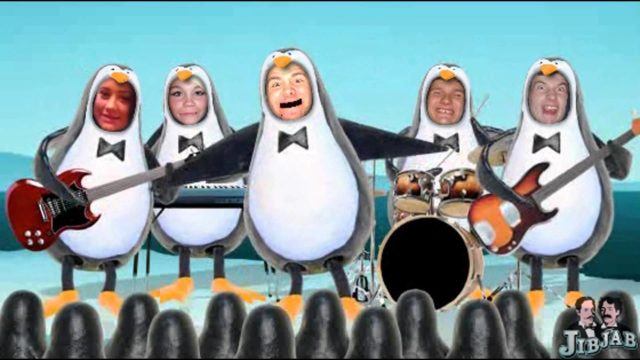
To create an eCard or video you would like to send to someone, go through the available options and then click on the particular card or video that interests you to preview it.
The next step would be to click the “Make Card” button to go ahead to customize it. On the casting/creating page, upload a picture of your head by clicking the plus button located at the bottom left of the page. If the eCard being created has more than one head, click each head as it corresponds to the space it would appear in. After doing so, you will be taken to the sharing page where you would be able to add a personal message and then share it on social media or email.
Read Also: What is Badoo? Login, Review, How To Get Free Credits or Delete Account
Get Promo Codes
JibJab offers its customers the chance to get promo codes and coupons that can cut the price of whatever purchase they are making from the website by up to 50% and in some cases, more. These promo codes can be gotten from the company’s website or from other third party sites that deal in coupons.
Further Questions
Can you cancel JibJab membership?
Yes. To do so, you would have to log in to your paid account and click “My Info”. The next step would be to click on “Membership” and then “Edit Auto-Renewal Subscription” to affect your changes.
How do I save JibJab videos on my phone?
Open the app and click on the image of the video you would like to download then click the “Share your video!” menu. Select the save option from the menu and then save the video to your device.

