

Short Answer
Avast Premier may be worth it for someone who is looking to have extra and more advanced Avast features, although that will be at an additional fee. On the other hand, it is not worth it for someone who sees no reason to spend the extra cash and still not get too many features from the Avast Pro with only a few features between the two.
Avast has remained one of the most popular antivirus programs for a very long time now. While it has maintained a free antivirus that a lot of people have used for a long time, it also offers different levels of protection like almost all other security suite vendors. For Avast, it is the Avast Premier which comes as the top tier security product of the company.
With the Premier, Avast has a program that contains all the security features of the company with the emphasis on preventing any security threats, protecting your computer from anything harmful, and giving you privacy as you browse the internet.
Avast Premier Review
Looking at all the tools that you get with the Avast Premier, it has a lot on its sleeves to offer. Nonetheless, it may still find itself struggling behind others such as Bitdefender Total Security, McAfee, Kaspersky, and Norton all of which give better value.
The main strengths of the Premier lie in things such as its strong antivirus features, good privacy tools, and all other security features that keep you protected from ransomware and other things that can be harmful.
The downside of the product has to do with its pricing which can be on the high side for many. What is, even more, is that you also pay for some of the features that are only supposed to be extras.
Prevention Features of the Premier
For prevention, the Avast Premier comes with firewall to keep everything trying to gain access to your computer including hackers, anti-spam features to protect against spammy and other malicious contents, Wi-Fi inspector to strengthen your home Wi-Fi, and real site feature to keep you from being redirected to fake sites by hackers who may want to steal your details.
Protection Features of Avast Premier
This comes with a lot of tools such as Intelligent Antivirus to detect things like viruses, ransomware, malware, spyware, phishing and protect you against them. Other tools include CyberCapture to analyze suspicious files, Behaviour Sheild to detect any behavior that is suspicious and block it, Smart Scan to look for cracks that may let in malware and fix them, Ransomware Shield to protect your files from being deleted, encrypted, or changed by suspicious files and also to block ransomware, and Automatic Software Updater to keep your software up to date. There is also the Sandbox which serves to allow or suspicious files to be tried before they get installed on your computer.
Privacy Feature
For privacy, Avast Premier comes with tools such as Passwords which works by using a single password for all your accounts and then managing the rest to ensure that you get a secure and quick login. Data Shredder deletes very sensitive files you are done with, in such a way that they cannot be recovered and then there is also the Webcam Shield to stop any program from spying on you by forcing apps to seek your permission before they begin capturing.
What is the Difference Between Avast Premier and Avast Pro?
Although on the surface, the Avast Premier and the Avast Pro Antivirus offer similar programs, they are quite different with the Premier coming with more features than the Pro, and of course, more expensive.
The two packages differ in their features as the Avast Pro comes with fewer features than the Premier. Just like the latter, the Pro also has tools for prevention, protection, and Privacy. Coming with similar features as the Premier package, the Pro has some tools such as Firewall, Anti-spam, Ransomware Shield, Automatic Software Updater, Data Shredder, and Webcam Shield all missing.
Both packages come with extra features such as the passive mode, browser cleaner, and do not disturb mode.
To the prices of both packages, while you pay $49.99 for a year, $89.99 for two years, and $129.99 for three years with the Avast Pro, you get to pay $69.99 for a year, $139.99 for two years, and $209.99 for three years with the Avast premier.
How to Download and Activate Avast Premier
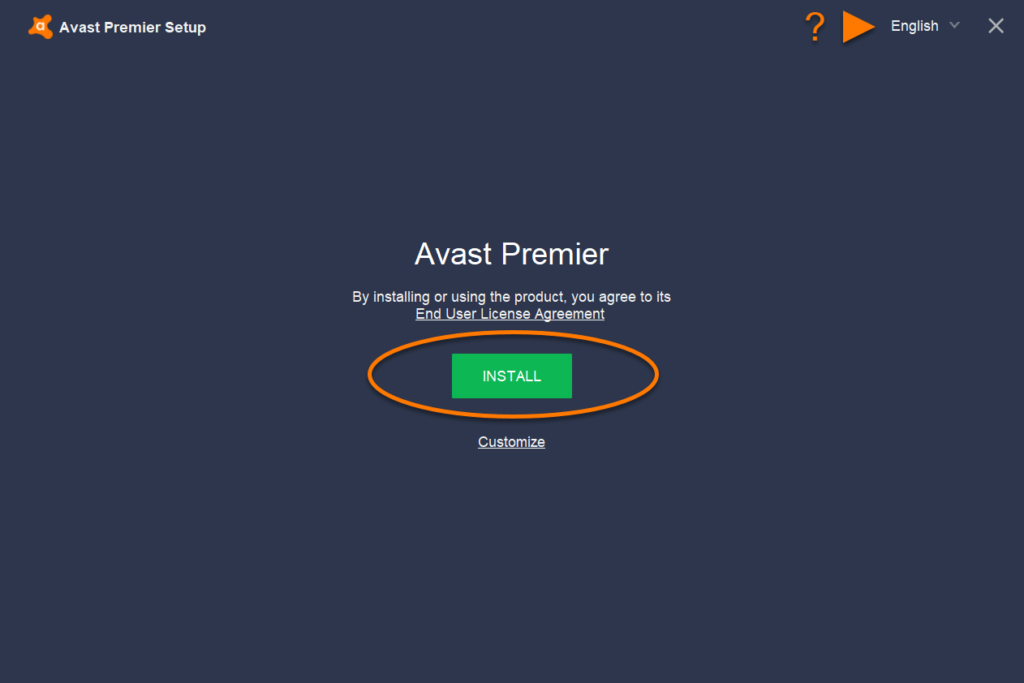
To download the Avast Premier, you will need to have a system that is anywhere higher than the XP SP3, a RAM of over 256 Mb, and hard disk space of at least 1.5 GB.
When it comes to downloading it, Avast gives you a trial version which you can use and check it out before finally deciding if it will serve your needs before putting your money on it. Here are the steps to download the program:
- Go to the Premier download page following this link
- Under the prices of the product, you will find the Download Trial button. Click on it.
- The installer will be downloaded. Launch it and then select Yes to allow it to install.
- Click on Install and then follow the steps that follow next.
After you must have been through with the trial and you want to activate it, there are two ways to do that; through the activation code and the Avast account. Before either, you will need to purchase the license.
Through Avast Account
- The first thing to do is to create an Avast Account.
- At your system tray at the lower right side of your computer, right click on the Avast icon and then select Subscription information.
- Click on Log into your Avast Account on the My licenses screen.
- After logging in, select the products you need from the available products you have and then click on Continue. And this will activate your account.
Through the Activation Code
- After making your purchase, an email will be sent to you.
- Open the email and right-click the attachment and then save it.
- On your system tray at the lower right side of your system, click on the Avast icon and then select Subscription information.
- Click on Enter a valid activation code on the My licenses screen.
- Click Use a license file.
- Find the downloaded license and click on open.
- Finally, click on Continue and that will activate your account.
Is Avast Premier Worth It?
To the question of whether or not it is worth it, the Avast premier is a good product which has a lot of features that are both advanced and highly functional. However, when compared to other products that the market has to offer, one may have some questions to ask.
More so, when you look at the extra features that it comes with, the program still requires a payment which makes it even more expensive, hence, it may not be worth it for someone who is really looking to cut cost. Another thing is that if you are looking for parental control features, you will be better off going for something else because Avast does not give that.
At the end of the day, however, the good news is that there is a trial version which you can download and try for a period of time to decide for yourself if it is worth it or not.
See Also: Windows 7 Product Key 2019 For Home Premium, Ultimate, Professional
Other Questions
What is Avast Premium?
Most Antivirus solutions have their free versions including Avast. The free versions have certain limitations in both features and functionality. There are, however, the paid solutions which are referred to as the premium packages – for the company, it is referred to as Avast Premium, one of which is the Avast Premier.
What is Avast Premier Antivirus?
Avast Premier Antivirus is the top-notch security solution provided by Avast which comes with all the security features offered by the company, including some that you don’t get with Avast Pro.
Is Avast good virus protection?
Avast has built a reputation for itself over the years because of how good it is with the protection and other services that it offers. Therefore, while you may find some that offer better security that you get with Avast, it is one of the best out there.
