

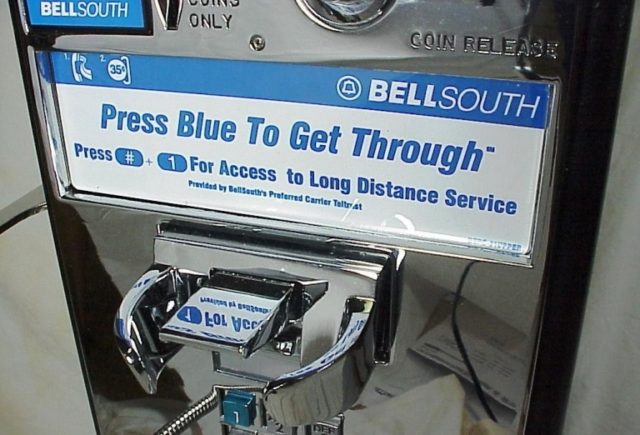
Since June 30, 2017, BellSouth has been doing business under the following names: AT&T Mississippi, AT&T South Carolina, AT&T Georgia, AT&T Tennessee, AT&T Alabama, AT&T Florida, AT&T North Carolina, AT&T Southeast, AT&T Louisiana, and AT&T Kentucky. The company consists of the former operations of South Central Bell and Southern Bell and currently serves the southeastern United States.
Bellsouth was established in 1983 as SBT&T Co. Its headquarters is situated at AT&T Midtown Center Atlanta, Georgia, United States while the telecommunication company basically deals on Plain old telephone service (POTS) and Digital subscriber line (DSL).
Bellsouth Email Settings
Here’s how you can use these settings to set up your email account on Bellsouth.
| Email Program Settings Field: | Enter: |
| Incoming (POP) | pop.att.yahoo.com |
| Outgoing (SMTP) | smtp.att.yahoo.com (requires authentication) |
| Incoming mail server: | POP3 |
| Incoming/Outgoing User Name: | Full AT&T email address, including domain (e.g., [email protected], [email protected]) |
| Incoming mail port #: | 995, Use secure connection checked |
| Outgoing mail port # | 465, Use secure connection checked |
Note: Ensure that the option to permit authorization is selected, using similar settings as the incoming mail server.
Since AT&T merged with Bellsouth in the year 2006, setting up Bellsouth email has continued to pose little challenge to some people due to the switch. Although the servers have since been named for AT&T’s email clients, Bellsouth email can as well be used along with email readers like Microsoft Outlook or better still use AT&T’s webmail feature to read online.
The coming together of the two firms has been wonderful. In fact, it is one of the most brilliant gifts to the telecommunication world. To date, subscribers using BellSouth email addresses and internet service are still authorized to continue using their old addresses ending in “bellsouth.net,” while new customers receive addresses directly from AT&T. This is great!

If you have no clues on how to set up your Bellsouth email, worry no more because we have the answers right here. You can overcome your worries by simply following these steps.
- Launch your email reader.
- Move to the top toolbar menu and choose the option for creating an account.
- Move to the Display Name field and type in the name you want to see on your emails.
- Input your BellSouth password and username.
- For the incoming email server, type in “pop.att.yahoo.com” in the settings box.
- For the outgoing email server, type in “smtp.att.yahoo.com” in the settings box.
- Keep working on the account creation wizard until the option to finish pops up.
- Once it surfaces, click “Finish” to finalize the setup of your Bellsouth email account.
- You can retrieve your BellSouth email and log in anytime you want with your username and password.
Bonus:
1. The configuration of BellSouth email addresses can take place on a good number of email clients, some of which include Mac Mail, Mozilla Thunderbird, and Microsoft Outlook. Though each client has a slightly different procedure for creating an email account, the information that will help you set up an email on these platforms is similar.
2. The Creating an Account option (mentioned in step 2 above) can be found in different locations on these email clients. If you are using Mac Mail, you will find the Creating an Account option in the “Add Account” option which is under the “File” menu. For Mozilla Thunderbird users, the feature is placed under the “File” menu, then “New,” then “Account.” Lastly, the feature is under “Tools” and “Email Accounts” (which is on the drop-down menu) in Outlook.
Internet
Upon purchasing the BellSouth FastAccess DSL, AT&T absorbed Bellsouth into its brand name. The multinational conglomerate holding company offers DSL service in the selected areas in the United States such as Arkansas, Mississippi, Georgia, Missouri, North Carolina, Nevada, Tennessee, Alabama, Oklahoma, Kansas, Wisconsin, California, Florida, Illinois, Indiana, Louisiana, Kentucky, Michigan, Ohio, South Carolina, and Texas.
Bellsouth DSL connections provide customers with a high-speed connection from their phone wall jack on their telephone network. For more details about their DSL offers, contact 800.288.2020.
The AT&T (Bellsouth) Internet is available in four price tiers. Take a look at them.
| Internet Basic Plans | |||
| Internet Plan | 768K | 1.5Mbps | 5Mbps |
| Promo price* (Month 1-12) | $40 | $40 | $40 |
| Regular price (Month 13+) | $50 | $50 | $50 |
| Data allowances** | 1TB | 1TB | 1TB |
| Upload speeds1 | .128-.384Mbps
|
.384-1.0Mbps
|
.6-1Mbps
|
| Download speeds1 | .200-.768Mbps
|
1-1.5Mbps
|
3-5Mbps
|
| Installation cost2 | Up to $99 | Up to $99 | Up to $99 |
| Best for | Good for email and light web surfing. | Good for downloading small files, web surfing, and social networking. | Good for light video streaming, downloading music, and social networking. |
Plans for people who want to order internet as a standalone service are as follows.
| Internet Plan | 10Mbps | 18Mbps | 25Mbps | 50Mbps | 100Mbps |
| Promo price* (Month 1-12) | $50 | $50 | $50 | $50 | $50 |
| Regular price (Month 13+) | $60 | $60 | $60 | $60 | $60 |
| Data allowances** | 1TB | 1TB | 1TB | 1TB | 1TB |
| Upload speeds1 | .6-1Mbps | .768-1.5Mbps
Upload a 4-min. HD video in 11 seconds |
1-5Mbps
Upload a 4–min. HD video in 7.9 seconds |
6-10Mbps
Upload a 4-min. HD video in 3.9 seconds |
12-20Mbps
Upload a 4-min. HD video in 2 seconds |
| Download speeds1 | 6-10Mbps | 12.1-18Mbps
Download a 90-minute HD movie in under 6 minutes |
15-25Mbps
Download a 90-min HD movie in 4.5 minutes |
30-50Mbps
Download a 90-minute HD movie in under 2.5 minutes |
80-100Mbps
Download a 90-min. HD movie in 1 minute |
| Installation cost2 | Up to $99 | Up to $99 | Up to $99 | Up to $99 | $0 |
| Best for | Ideal for multi-device households, social networking, downloading music, and video streaming. | Ideal for HD video streaming, sharing videos and photos, and online gaming. | Ideal for video streaming on multiple devices, sharing videos and photos, and online gaming | Ideal for video streaming on multiple devices, sharing videos and photos, and online gaming | Superb for streaming HD videos, online gaming and sharing large files. |
Here are plans for bundling of Internet powered by AT&T Fiber with video services (DIRECTV satellite or U-verse)
| INTERNET 100 | INTERNET 300 | INTERNET 1000 | |
| Internet Plan | 100Mbps | 300Mbps | 1000Mbps |
| Regular price (Month 13+) | $40 | $60 | $80 |
| Promo price* (Month 1-12) | $40 | $60 | $80 |
| Upload speeds1 | 80-100Mbps
Upload a 4-min. HD video in 2 seconds |
150-300Mbps | 500-940Mbps
Upload a 4-min. HD video in less than a second |
| Data allowances** | Unlimited | Unlimited | Unlimited |
| Best for | Excellent for streaming HD videos, online gaming, and sharing large files. | Idle for multiple users, binge streaming, gaming, and sharing large files. | Great for the connected home, multiple users, serious online gaming, telecommuting, and creative collaboration. |
| Installation cost2 | $0 | $0 | $0 |
| Download speeds1 | 80-100Mbps
Download a 90-min. HD movie in 1 minute |
150-300Mbps | 500-940Mbps
Download a 90-min. HD movie in under 7 seconds |
Internet Basic Plans for bundling Internet powered by AT&T Fiber with video services (DIRECTV satellite or U-verse TV)
| Internet Plan | 768K | 1.5Mbps | 5Mbps |
| Best for | Good for light web surfing and email. | Ideal for social networking, downloading small files, and web surfing. | Great for light video streaming, social networking, and downloading music. |
| Regular price (Month 13+) | $30 | $30 | $30 |
| Promo price* (Month 1-12) | $30 | $30 | $30 |
| Download speeds1 | .200-.768Mbps
|
1-1.5Mbps
|
3-5Mbps
|
| Data allowances** | Unlimited | Unlimited | Unlimited |
| Upload speeds1 | .128-.384Mbps
|
.384-1.0Mbps
|
.6-1Mbps |
| Installation cost2 | $0 | $0 | $0 |
Customer Service
For immediate response, technical support, and inquiries, you can contact Bellsouth customer support for assistance. Remember, Bellsouth joined forces with AT&T in 2006, that’s why subscribers using AT&T mobile phones can comfortably access this platform as well.
For wireless service, contact the customer service every day from 8:00 AM to 9:00 PM local time on 800.331.0500 or call 611 from your AT&T mobile phone. To order for new wireless service, you can hook up with the customer support on 888.333.6651 from Monday to Friday (8:00 AM to midnight ET) and Saturday – Sunday (8:00 AM to 11 p.m. ET).
See Also: Login To A Comcast Xfinity Router Modem By Following These Steps
Bellsouth support care is also available 24/7 if you want to check your order status. But if you want to check your wireless order, then you’ll need to call 877.782.8870. If you are planning to travel abroad and need assistance, the customer representatives are also there to help you 24/7. Just call +1.314.925.6925 for free from any mobile phone.
For your home phone technical support (landline), call 800.288.2020. Finally, Bellsouth customer care can be contacted via phone on 866.241.6568 or TTY on 866.241.6567 for disability purposes. They are usually available from Monday to Friday (10:00 AM – 10:00 PM ET) and Saturday (11:00 AM – 7:45 PM ET).
Other Facts About Bellsouth
- The acquisition of Bellsouth by AT&T Inc. began on March 5, 2006, and was executed on 29th December 2006. It was bought for approximately $86 billion.
- Bellsouth is currently known as BellSouth Telecommunications, LLC, following its conversion into a limited liability company on July 1, 2011.
