

Amazon used to be a store for many things, now it has become a store for everything from your groceries to audiobooks, computers, and everything else. In 2016, it caused a stir for companies like Shutterfly with the launch of its photo-printing service, Amazon Prints. After the launch, the shares of Shutterfly was forced down by as much as 10% in a single day.
It covers things such as photos and other printing services. Although the quality may not necessarily be the best the market has at the moment, it is one of the cheapest.
Powered by Snapfish, it comes with packages for both Prime and Non-prime members like almost all other services that you get from the giant online platform.
Pricing (Photos and Canvas)
Before looking at the prices, it is important to note that you may get to even spend more on shipping than on the printing itself. However, if you are a Prime member, the charges are different for you. Here are the delivery charges.
Price With Prime Membership
- Standard (8-12 business days): As a Prime Member, if you are making an order that is between 8 to 12 business days, you will have it delivered for free whether it is under or over $15.
- Expedited (5-7 business days): For an order like this, you will be required to pay $7.00 for orders that are under $15 while it is free for those over.
- Overnight (4-6 business days): For these orders, you will be requested to pay $13.00 per shipment for all orders.
Without Prime
- Standard (8-12 business days): The delivery is free when you are making an order that is over $15, and $4 when it is under.
- Expedited (5-7 business days): You will be requested to pay $7 whether the order is over or under $15.
- Overnight (4-6 business days): The shipment here is $13 for both products under and over $15.
For the printing services, you can hardly find any that competes with its affordability as you get to print a standard size picture of 4×6 at only 9¢. What this means is that when you are making an order of 25 standard size prints, you will only pay 2.25 dollars. Going up to 5x7s you will be spending 58¢ while 8x10s will take you up to $1.79. With its main competitor, Shutterfly you will pay 15¢ for a 4×6 size photo, 99¢ for 5×7, and $3.99 for 8×10.
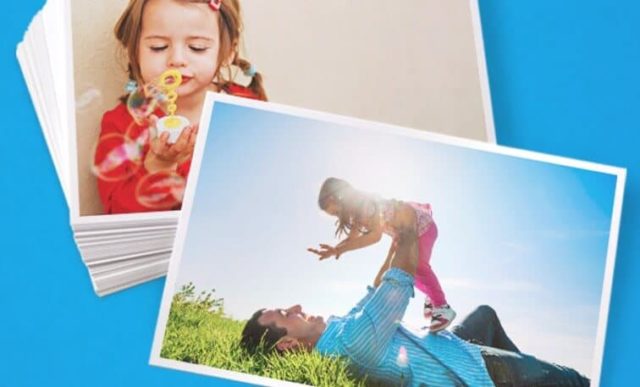
When it coems to printing things such as the photo books, Amazon Prints delivers from $19.99. As a non-prime member, you will need to sign up for an Amazon Prime account before you can use the Amazon Prints. The good thing, however, is that you can use the Amazon Drive for storing other things such as your videos and other files.
More so, when you open the Amazon Drive, you will recieve a free 5GB which if you find too little, you may decide to add by getting a 100GB plan that costs $11.99 per year or even a Terabyte at $59.99. The maximum space available is 30 TB at $1,799.70. If you are considering to pay as much as $59.99 per year for the drive so that you can use it for the Amazon Prints, you may as well consider signing up for Prime Membership which will give you other benefits including streaming of music, accessing audible, and of course, unlimited storage.
Canvas
For printed canvas, you can choose between portrait and landscape as well as framed or unframed. A canvas of 8×11 unframed will cost $19.99 while at the other end, a 20×24 unframed will cost $89.99. The prices go up when it comes to the framed canvas.
Promo Codes and Free Prints
Even as it is very affordable, Amazon also offers promo codes that will give a massive discount as well as periodic free prints that include free shipping for Prime members. Here are some codes to use:
- For 50 free 4×6 photo prints- FREE50PRINTS
- Canvas promo codes: Seventy
- Canvas on first order: FREE8X8
- For 60% off Print orders of $35 or more: BEMERRY
How To Order From Amazon Prints
- To get started, you will need to sign in to the Amazon Photos using your login details to Amazon.
- The next thing to do is to Click on the Browse to Upload button to add the pictures you want.
- On the menu, click on Amazon Prints and under it, select what you want or Shop for All Products.
- Select the picture size that you want.
- This will take you back to your drive. You can select the pictures you have already added or simply click on the Upload Photos to add more pictures.
- Select the photo(s) you need and click on Add to Project.
- With that done, Simply click on Add to Cart and proceed to make payments.
Note: If you delete any photo, it will be stored in your trash where you can access it back. However, it will permanently be deleted after 30 days.
To Cancel an Order
If you make an order that you want to cancel, there is an hour window for you to cancel after making an order. Here are the steps to take:
- After logging into your account, go to Prints Order History.
- The next thing you want to do is to click on Let us Know.
- Now you can click on Cancel Order. If the option to cancel is not available, you probably are out of the cancellation period.
You may also reorder a purchase you have made by simply going to My Project, previously purchased project, and make any adjustments you need before clicking on Add to Cart.
Conclusion
The Amazon Prints, like most other services from the online platform, is exceptional in many ways. Apart from the fact that it is cheap, people with prime membership and even some without will consider it something that is very convenient. Nonetheless, when the question of quality arises, you may still find it behind Shutterfly although it is slightly more expensive.
See Also: What is Amazon Prime Now, How Does It Work? Cost And Tow To Tip
With that said, while it will be a great choice for most people, someone with Amazon Prime may still prefer it over any other because of the added benefits that you get with it.
Other Questions
How much do prints from Amazon cost?
While the standard size photos, 4×6, start at 9 cents, you can get to pay as much as 58 cents for 5×7 prints and $1.79 for 8×10 photos. With photo books, you may find yourself starting at $20.
Are Amazon Prime photos storage really unlimited?
For Prime Members, Amazon Photos offers free photo storage for unlimited photos. However, as pointed out, non-prime members will have to do with free 5GB of storage or they can either switch to Prime or pay for more storage.
How do I delete photos from Amazon prints?
To delete your photos, simply log into your account, click on Your Photos, and then select the pictures you want to delete. Once it is highlighted, you will see “Move to trash” at the top menu. Click on it and the image will be deleted. If you want to delete it permanently, however, you will have to go to your Trash and delete it from there as well.
